Web Based Software
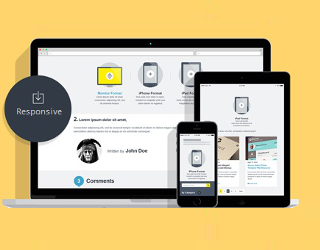
Use ProjeXmanager portal from any computer or mobile device with an internet connection. No special software or 3rd party utilities to install. ProjeXmanager Work with all web browsers, PC or Mac.
|
Manage Multiple Projects At Once
Provide your organization with a top down view of all projects and user activity. Flexible project steps allow ProjeXmanager to be quickly tailored for each of your company's work flow processes.
|
Unlimited Users
Whether it's 5 users or 500, ProjeXmanager works for all size organizations with no additional licenses to purchase.
|
Gantt Chart Interface
When you log on to ProjeXmanager, you are greeted with a real-time Gantt chart as your main interface. No need to pull a report to see the results.
|
Scheduling
Use ProjeXmanager's integrated scheduling tool to review and manage your project progress. Review workload in daily, weekly or monthly calendar layouts. Manually schedule project tasks and appointments for your staff or let ProjeXmanager do it for you with project stage forecasting. Our calendar export features allows for MS-Outlook compatibility to keep your efforts in sync.
|
Task/Milestone Management
Tasks are an important part of completing each project. Allow ProjeXmanager to assign routine tasks to predesignated users or manually assign tasks to your staff. Our integrated master task list will allow you to quickly filter through all tasks to help narrow down the sub set you need. You can filter tasks by project, date, completion status and/or user to help manage your staff's workload.
|
Document Management
Imagine a centralized location where you staff can store and retrieve documents related to a specific project. ProjeXmanager allows you to upload documents to a project's designated folder where all project assigned users can easily download them. ProjeXmanager also allows you to email files directly from the project folder for faster retrieval and sharing.
|
Email Notifications
One of the most popular features embedded throughout the ProjeXmanager application. Email notifications are an essential tool for task reminders and/or to discreetly keep your management team abreast of user activity. Custom notifications are available to best serve your organization.
|
Client Management
Do you have client information scattered everywhere? Use ProjeXmanager to centralize your client list. Imagine all your client information with contact info, rate structures and history in one location.
|
Help Desk Support
Manage all of your customer help support calls from ProjeXmanager and keep all your company activity in one place. Support calls can be tied to projects, clients or can be entered as stand alone tickets.
|
CSV Data Imports
ProjeXmanager has pre-defined CSV import templates so you can quickly upload your existing data and start working faster. Custom modules and data transfer services available to meet all your organization's needs.
|
Excel Exports & Reports
One of the most useful features according to our customers. All throughout ProjeXmanager, you'll find Excel exports and reporting tools. Use our existing layouts or modify data in Excel once exported.
|
Sales CRM
Do you have customer leads to track and convert into sales? Use ProjeXmanager's integrated Customer Relationship Management tool to track activity and make your sales staff more productive. Filter through leads for a specific campaign and then send form letter emails with lead information pre-loaded. A great time saver for production sales.
|
Customer Satisfaction Surveys
Create your own customer satisfaction surveys and email them to your clients direct from ProjeXmanager. Track survey status. Results are displayed immediately. If you manage multiple projects, this is a great tool for providing your company with useful data on staff performance and client impressions.
|
CSV Data Imports
ProjeXmanager has pre-defined CSV import templates so you can quickly upload your existing data and start working faster. Custom modules and data transfer services available to meet all your organization's needs.
|
Excel Exports & Reports
One of the most useful features according to our customers. All throughout ProjeXmanager, you'll find Excel exports and reporting tools. Use our existing layouts or modify data in Excel once exported.
|
Time Clock
For Time & Materials billing or resource management, your staff can quickly key in their work hours performed for each project, step and task. Use it to get a true cost analysis per project or to monitor customer PO/budgets against work completed.
|
Supplier/Vendor Management
Imagine the benefits when your staff uses a centralized list for all your suppliers and vendors. Track supplier types, contacts, rates, contract expirations and insurance policies. Grant suppliers limited access to the Projexmanager portal so you can assign tasks when sub-contracting is required.
|
Tiered Security & Permissions
As in any organization, different users have different permissions. The same holds true for ProjeXmanager. Assign rolls to each of your users to grant or deny them access to certain information once they have successfully logged on.
|
Traffic Reports
Review your staff and project activity with ProjeXmanager's on demand traffic reports. From "loginng in" thru project entries and updates, all user activity is time stamped with the user's name for a complete audit trail and full accountability.
|
PDA/Mobile Version
To keep your staff truly connected while outside the office, ProjeXmanager offers a mobile version for real time connectivity and up to date information.
|
Private Label
Integrate your company logo with ProjeXmanager and change the site labeling to fit your organization. Custom modifications are also available.
|
Other Features include:
- Project Quoting/RFP
- Service Desk allows customers to submit service tickets
- Forecast Milestone/Completion Dates
- Grant Access To Clients And Suppliers
- Integrates with the 3rd Party Accounting Applications
- Quickly Tied In With Consumer Facing Web Site
- Fully Scalable and Customizable
- Available as an on demand software service hosted on our servers or as an enterprise on-site deployment. Click here for more information.
|